Create the contact Record
Please ensure that the individual you are adding to your membership does not already have a NODA account with us. If they do, they can add themselves to your organization by simply logging in then updating the organization field in their profile with the new organization name (this will automatically add them to your organization and the active institutional membership will flow down into their account).
Step 1: Log into the NODA Membership Portal
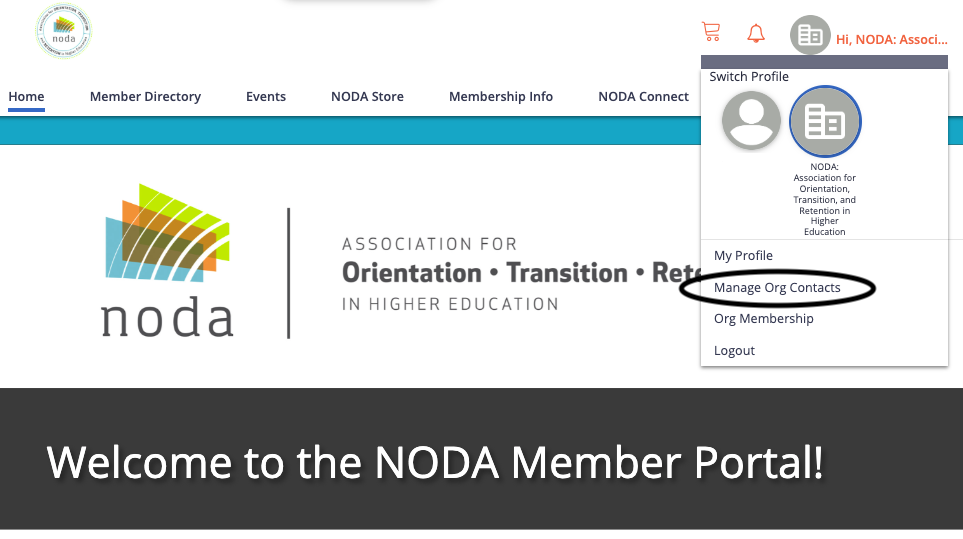
Step 2: Toggle to Your Organization’s Account (NOTE: Only Primary Contacts can complete this action). To do this, click your name in the top right. Then click on your organization next to your name. There is an selection labeled “Manage Org Contact” in the drop down menu- click there.
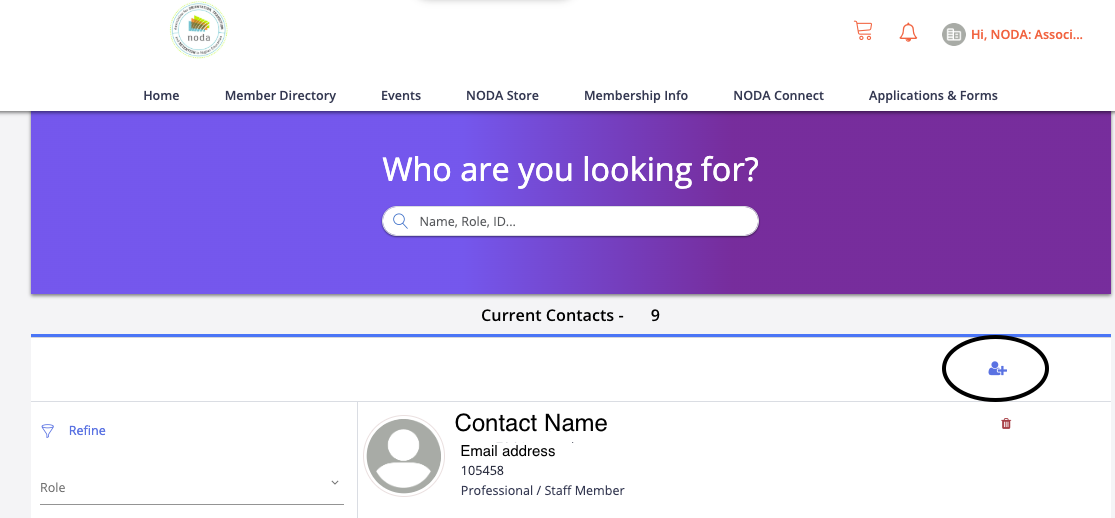
Step 3: Select the blue plus icon
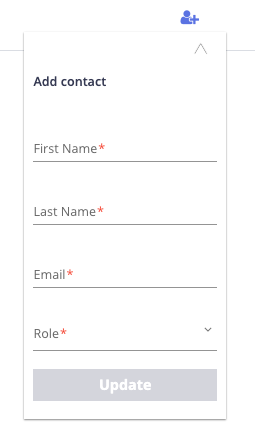
Step 4: Fill out the required fields to add an individual account to your organization. This will create a new account in our system and they will still need to login by using the email you used here and creating a new password.
After completing the process, the contact will be added to the institutional membership. If you have any questions, please reach out to us at [email protected].